
Integrating a Customized Dashboard into Oracle Benefits Self-Service

In today’s fast-paced business environment, streamlining employee access to essential benefit documents is crucial. Our client recently faced the challenge of needing an integrated platform within their Oracle Fusion HCM application to allow employees to easily access various benefit-related documents. To address this, we developed a customized dashboard within the Oracle Benefits Self-Service work area, ensuring all relevant information was just a click away. This blog post will walk you through this process and how you can implement a similar solution.
Use Case
The primary requirement from the client was to create a feature that would enable employees to access documents related to different benefit policies and plans directly within the Oracle Fusion HCM application. These documents included policy documents, enrolment forms, leaflets, and plan overview documents. The goal was to develop a user-friendly, integrated dashboard that would make navigation and access straightforward and secure.
Key Steps in Developing the Customized Dashboard
Step 1: Develop the HTML Code for the Dashboard
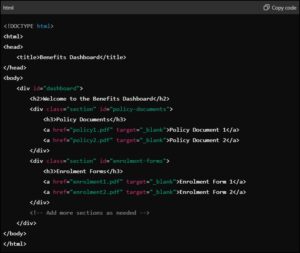
- The first step involved creating the basic structure of the dashboard using HTML. This structure includes various sections organized with elements, and links ( tags) to navigate to the documents. Here’s a simplified version of how you can structure your HTML:
Step 2: Create the Dashboard in Oracle
Once the HTML code is ready, the next step is to integrate it into Oracle. Follow these steps to create the dashboard:
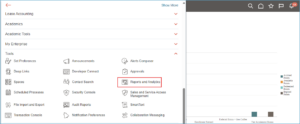
- Navigate to the Reports and Analytics Section: Go to the Navigation menu > Select Tools > Click on Reports and Analytics.
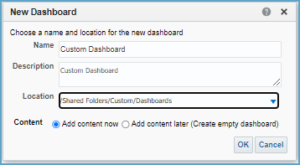
- In the analytics work area, navigate to Create >> Dashboard >> Select the name and location.

- Save the dashboard (named as Custom Dashboard) in the respective folder for later use. Click on Ok.
- Open the Custom Dashboard and from the dashboard objects region in the left pane, drag columns, sections and text as below into the work area.
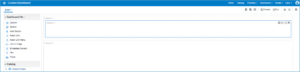
- Multiple sections can be added based on requirements. For instance, in our case, two sections were created: one for text information/content header and another for the policy document view.
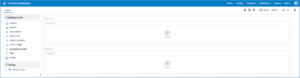
- In the text section of Column 1, open the ‘Text Properties’ and add necessary text information in the text properties for the text box 1 as shown below. In the ‘text properties section’ of Column 2, add the developed HTML code.
- Click on ‘Preview’ and ‘Ok’ to continue.
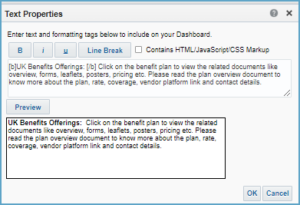
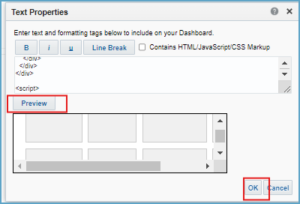
Fig.8: HTML Code Preview In Dashboard
- Click on ‘save’ and ‘run’ to save the dashboard.
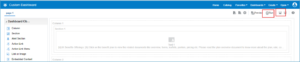
- Dashboard is created as below. Save the URL as shown in the below screenshot. Folders and subfolders are created to organize the plans and associated documents.
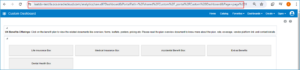
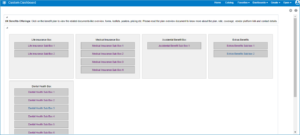
- The sub folders can be accessed by toggling to the main folder. Each plan documents are customized and placed in a separate folder.
Step 3: Integrating the Dashboard with the Oracle Application
To integrate the dashboard into the Benefits Self-Service work area, follow these steps:
- Activate a sandbox and enable sandbox tools: Page Composer and Page Integration.
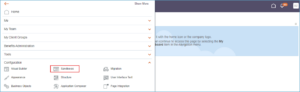
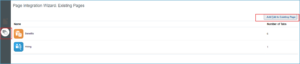
2. Choose the ‘Page Integration’ tool from the created sandbox and click on ‘Add to the Existing Page’.
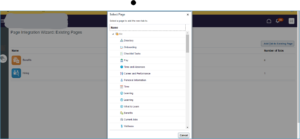
3. From the ‘Select Page’ popup, select the location where the result is expected to populate.
4. Enter the required details, including the application role and the dashboard URL or web page link copied from Step 2.

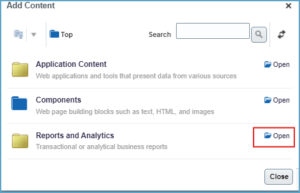
5. Now, activate the sandbox tool ‘Page Composer,’ delete any existing content (if applicable), and click on ‘Add Content’.

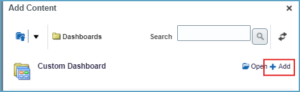
6. Choose the previously created dashboard from the ‘Reports and Analytics’ work area by navigating to the saved dashboard. Select the ‘Custom Dashboard’ and click on ‘Add’.
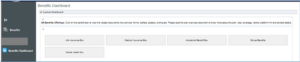
The dashboard is now integrated to the Oracle Application.
7. Publish the sandbox. Employees assigned the application role can now view the dashboard.
Business Benefits
- Centralized Information: Employees can access all relevant documents in one place, reducing the time spent searching for data across multiple locations, thereby enhancing efficiency and productivity.
- Customization Options: The ability to create additional or external pages within the Oracle system allows for extensive customization based on specific needs and preferences.
Limitations
- Complexity: Customizing dashboards can be complex and may require specialized knowledge of Oracle Fusion tools and coding skills.
- Time-Consuming: Developing and integrating custom dashboards can be time-consuming, especially for complex requirements.
The Bottom Line
Integrating a customized dashboard into Oracle Benefits Self-Service significantly enhances the user experience by providing easy access to critical benefit documents. By following the steps outlined above, you can create a seamless, secure platform that meets your organization’s needs. While there are minor challenges in implementing this solution, the benefits significantly outweigh them, leading to improved productivity, flexibility and efficiency.
Adopting such a solution not only meets the immediate needs of your organization but also sets a foundation for future customization and scalability. We encourage you to leverage these insights to create a seamless and efficient document access system within your Oracle Fusion HCM application.
Author: Reshma P Eldho, Associate Oracle HCM Consultant