
HCM Cloud Time Capture | Relevance to the current Hybrid Mode

With new normal, employers have introduced a Hybrid model of work, and even employees prefer working in a hybrid mode – Work from Office and Work from Home. To capture this in Oracle Time and Labor, the Timecard entry page can be customized.
To enhance a Custom-time attribute in the Oracle Time and Labor Timecard page.
Steps to create:
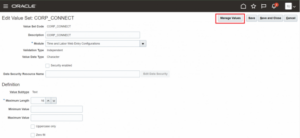
1. Navigation: Setup and Maintenance > Click on Tasks and search > Time and Labor Value Sets:
Access the value set created and change the value of the Module field from “Time & Labor” in “Time and Labor Web Entry Configurations”. Fill in the other fields accordingly and then click on Save.
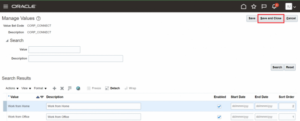
While clicking Manage Values, create two values as Work from Office & Work from Home and then click on Save and Close.
2. Navigate to Setup and Maintenance > Search > Custom Time Attribute.
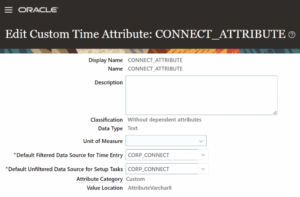
Create a new attribute with the setup follows,
- Classification – Without dependent attributes
- Data Type – Text
- Default Filtered Data Source for Time Entry – choose the value set in Time and Labor Value Sets
- Default Unfiltered Data Source for Setup Tasks – choose the value set in Time and Labor Value Sets, same value as above
- Attribute Category – Custom and then click Save and Close.
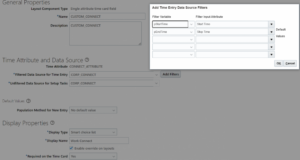
- Navigate in Time Entry Layout Components under Setup and Maintenance and create a new layout component with the setup.
- Layout Component Type – Single attribute timecard field
- Time Attribute – Choose Custom Time Attribute set at step 2
- Filtered Data Source for Time Entry – Choose the value set in Time and Labor Value Sets
- Unfiltered Data Source for Setup Tasks – Choose the value set in Time and Labor Value Sets and fill other fields accordingly and add the filters. Then click Save and Close.
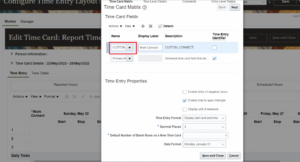
- Navigate in Time Layout Sets under Setup and Maintenance – Update the actual layout set for all the layouts (Responsive, Time Entry etc.) and edit the value set with the newly created set and then click save and Close.
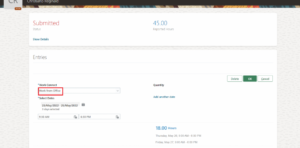
- Navigate to My client groups > Team Timecards
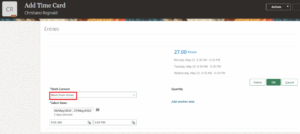
- Add a Time card for an employee using the created custom attribute option.
Business Benefit:
- With a hybrid mode of working, this option would be more helpful and useful to track or monitor the Workers’ shift Patterns.
- Multiple dates can be selected for a corresponding time period at a single go using these options.
Author: Indhu G, Software Engineer – Oracle HCM Associate Consultant